
Document Presentation Workflow: A 2026 Planning Guide

TL;DR:
- A well-organized ceremony depends on a detailed workflow that includes planning, design, rehearsals, and organized documentation. Proper preparation, clear roles, and high-quality certificates enhance the event’s professionalism and credibility. Implementing structured milestones and contingency plans ensures smooth execution and memorable recognition.
A document presentation workflow is a carefully coordinated sequence of steps that manages the preparation, production, and delivery of diplomas and certificates in formal events. Educators, corporate professionals, and event organizers who treat this process as a structured system, rather than a loose checklist, consistently produce ceremonies that feel polished and purposeful. The difference between a ceremony that runs smoothly and one that stalls on stage almost always traces back to how well the workflow was designed before the event day. This guide covers the essential steps, design standards, live-event logistics, and tools that make a professional document presentation reliable and memorable.
What are the essential steps in a document presentation workflow?
A well-built planning timeline is the foundation of every successful certificate or diploma event. Award planning requires milestones at 90, 60, 30, and 7 days out for venue confirmation, script finalization, and stakeholder approvals. That structure prevents the last-minute scramble that derails even well-intentioned ceremonies.
The following numbered sequence gives you a clear path from initial concept to event day:
- 90 days out: Confirm venue and suppliers. Lock in your venue contract, audiovisual vendor, and printing supplier. Venue availability and AV lead times are the longest constraints in the entire workflow.
- 90–60 days out: Draft certificate wording and design. Certificate wording and design require internal approvals mapped well ahead of print dates to avoid costly rush orders. Circulate drafts to legal, HR, or academic leadership early.
- 60 days out: Finalize the recipient list. Confirm every name, title, and spelling with the authorizing department. A single misspelled name on a printed certificate creates a production error that is expensive to fix under time pressure.
- 30 days out: Submit print orders and finalize the run-of-show script. Official graduation certificates require 3–4 weeks lead time for printing and processing, with peak periods demanding even earlier submissions. Submit your order before this window closes.
- 7 days out: Conduct a full technical rehearsal. Walk through every AV cue, stage entry, and handoff sequence. Confirm that all certificates are printed, sorted, and matched to the correct presentation order.
- Event day: Execute the run sheet. Assign one team member to manage the certificate table, one to escort recipients, and one to monitor AV cues. Clear ownership prevents confusion when the room is full and the clock is running.
Pro Tip: Create a shared digital folder with the final recipient list, certificate proofs, and run sheet. Give access to every team member involved. When a last-minute name change arrives the morning of the event, everyone works from the same updated file.
The rehearsal step is where most organizations cut corners, and it is the step that costs them the most on event day. A full technical run-through, including music cues and walk-up paths, takes two to three hours but saves far more time in recovered ceremony flow.

How to design and prepare professional diplomas and certificates?
Certificate design is not a cosmetic decision. It is a credibility decision. Professional certificates should include high-resolution branding, clear visual hierarchy, and digital verification such as QR codes. Each of these elements signals legitimacy to the recipient and to any third party who later views the document.
The core design elements every certificate must include are:
- Recipient name: Set in the largest type on the document, centered, and in a serif or formal sans-serif font that reads clearly at arm’s length.
- Issuing organization logo: Placed at the top center or top left, printed at high resolution (300 DPI minimum for print).
- Authorized signature: A wet or digitally reproduced signature from the issuing authority, accompanied by a printed name and title.
- Issuance date: Written in full (e.g., “June 15, 2026”), not abbreviated.
- Verification element: A QR code or unique certificate ID. QR codes and unique certificate IDs provide durable verification that boosts credibility in both digital and physical formats.
- Brand colors and white space: Use your institution’s official color palette and leave generous margins. Crowded certificates look unofficial.
Common design mistakes include using decorative fonts that reduce legibility, omitting the issuance date, and printing at low resolution. Each of these errors undermines the document’s authority. For guidance on how certificate covers support branding, the physical presentation layer matters as much as the design inside.
The table below compares physical and digital certificate formats across key presentation criteria:
| Criteria | Physical certificate | Digital certificate |
|---|---|---|
| Emotional impact at ceremony | High: tangible, heirloom quality | Moderate: screen-dependent |
| Verification ease | Requires QR code or ID | Instant via link or blockchain |
| Durability | Requires protective cover | Permanent if stored correctly |
| Customization flexibility | High with premium printing | High with design software |
| Cost per unit | Moderate to high | Low to moderate |
Pro Tip: Order a single proof copy of your certificate before committing to a full print run. Check the name field, logo resolution, and color accuracy under the same lighting conditions as your event venue.
What are best practices for managing live presentation flow?
The moment a recipient’s name is called is the most memorable point in the entire ceremony. That moment requires deliberate production decisions including music, lighting, and rehearsed walk-up logistics. Without those decisions made in advance, the stage feels improvised.
The run sheet is the single most important document on event day. Assigning one owner to each run sheet line item and using explicit clock times produces the precision and accountability that keeps ceremonies on schedule. Every cue, from the emcee’s opening remarks to the final applause, gets a named owner and a specific time.
The following practices define a well-managed live presentation:
- Define the walk-up path before the event. The physical walk-up path for recipients must be clearly marked and managed by escort staff. Recipients should know exactly where to enter, where to stand for the photo, and where to exit.
- Assign AV cues to specific triggers. Music fades, spotlight shifts, and slide advances should each have a named trigger. “When the presenter shakes hands” is a clear cue. “When it feels right” is not.
- Prepare reset lines for the emcee. Reset lines and fallback procedures help emcees handle AV failures or absent recipients without dead air. Write two or three neutral bridging phrases into the script so the emcee always has something to say.
- Build a photo hold into the timing. Each category typically requires 8–12 minutes including walk-up, photo, and acknowledgment. Plan this time explicitly rather than hoping the ceremony self-corrects.
The table below shows a sample run sheet structure for a 90-minute diploma ceremony:
| Clock time | Item | Owner | AV cue |
|---|---|---|---|
| 6:00 PM | Doors open, pre-show music | AV team | Playlist starts |
| 6:28 PM | Emcee takes stage | Emcee | Mic live, house lights dim |
| 6:30 PM | Welcome remarks | Emcee | Slide 1 advances |
| 6:40 PM | First diploma category begins | Stage manager | Music cue 1 |
| 7:45 PM | Closing remarks | Emcee | Slide final |
| 8:00 PM | Post-show reception | Event coordinator | House lights up |
Timing guidance for school ceremonies reinforces that rehearsed cues and clear role assignments are the most reliable way to maintain flow when the unexpected happens. Individual award presentations typically take between 4–10 minutes each, with a total event length of 90–120 minutes recommended to sustain audience attention.
What tools and documents support an organized presentation workflow?
Every well-run ceremony runs on a set of core documents that exist before the event and travel with the team on the day. The run sheet, recipient list, certificate proof log, and emcee script form the backbone of any organized document display workflow. Without these in place, even experienced teams improvise under pressure.
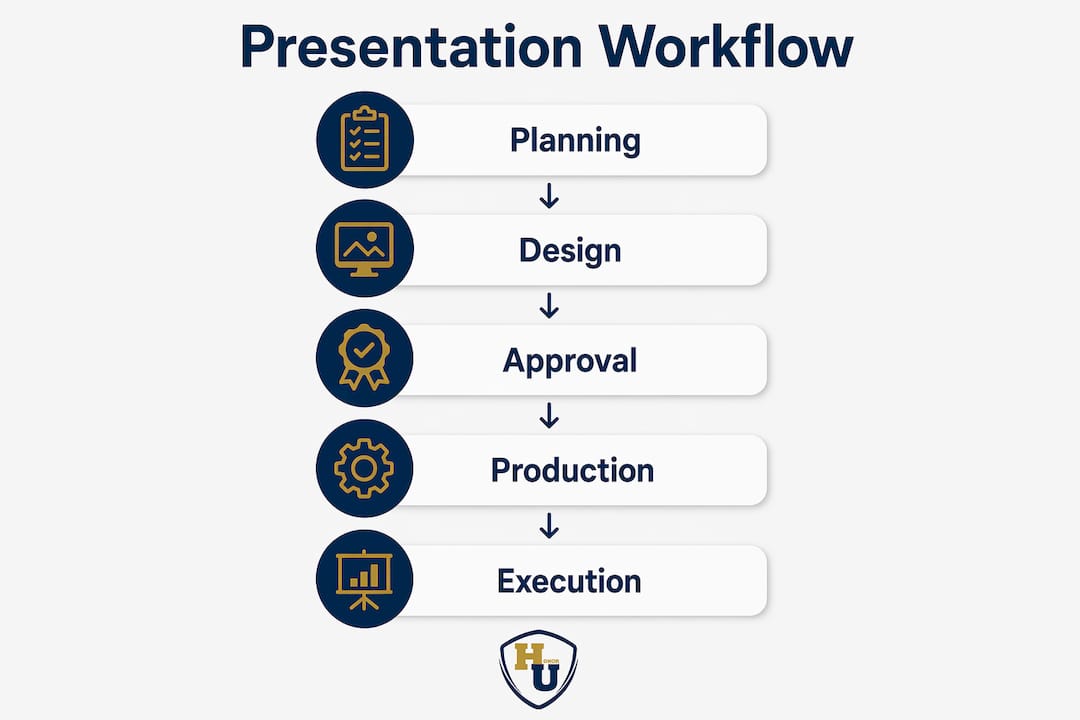
The table below lists the key tools and their primary function in the workflow:
| Tool or document | Primary function | Who owns it |
|---|---|---|
| Run sheet | Tracks every cue, time, and owner | Event producer or stage manager |
| Recipient list (sorted) | Matches names to certificate order | HR, registrar, or program coordinator |
| Certificate proof log | Confirms design approval before print | Designer and authorizing signatory |
| Emcee script | Provides name pronunciations and transitions | Emcee and event coordinator |
| AV cue sheet | Lists music, lighting, and slide triggers | AV technician |
Beyond documents, technology plays a growing role in presentation workflow automation. Live name-display software can pull from a sorted recipient list and push names to a screen in real time, reducing the risk of a slide mismatch. Certificate verification platforms allow recipients to access a digital copy via QR code immediately after the physical handoff.
Key checklist items to confirm in the final 48 hours before the event:
- All certificates are printed, sorted in presentation order, and placed in labeled folders or covers.
- The emcee has reviewed every name pronunciation and flagged any uncertainties.
- AV equipment has been tested in the venue, not just in a rehearsal room.
- Escort staff know their positions and have practiced the walk-up path.
- A backup set of blank certificates is on site for emergency reprints.
For institutions managing recurring events, a graduation folder workflow built around these documents reduces setup time for each subsequent ceremony. The 2026 industry standards for certificate holders also provide a useful reference for organizations updating their presentation materials this year.
Pro Tip: Number the back of each certificate folder in presentation order before the event. If a folder is dropped or misplaced, the sequence is immediately recoverable without sorting through names under pressure.
Key Takeaways
A reliable document presentation workflow requires structured planning milestones, design standards, rehearsed live logistics, and organized supporting documents working together as a single system.
| Point | Details |
|---|---|
| Plan with milestone dates | Set approvals and print orders at 90, 60, 30, and 7 days out to avoid last-minute errors. |
| Design for credibility | Include high-resolution logos, authorized signatures, issuance dates, and QR codes on every certificate. |
| Build a detailed run sheet | Assign one owner and a specific clock time to every cue, from music to walk-up to closing remarks. |
| Prepare contingency plans | Write reset lines for the emcee and keep blank certificates on site for emergency reprints. |
| Use physical covers for impact | Protective, branded document covers add an heirloom quality that recipients carry with them long after the event. |
What I’ve learned from watching ceremonies succeed and fail
After observing dozens of diploma and certificate events across education and corporate settings, the pattern is consistent. The ceremonies that feel effortless are the ones where the most preparation happened out of sight. The ones that stumble are almost always missing one thing: a named owner for each task.
Many presenters neglect rehearsal of the presentation moment itself, and that neglect shows up as awkward pauses, wrong music cues, and recipients who don’t know where to stand. These are not AV failures. They are planning failures. The technology works fine when the humans around it know their roles.
The element I see overlooked most often is the certificate itself. Organizations spend weeks on venue decor and catering, then print certificates on a standard laser printer two days before the event. The physical document is what the recipient takes home. It is what gets framed, photographed, and shown to family. A certificate that looks thin or unofficial undermines the entire ceremony, regardless of how well the stage was managed.
The other underestimated factor is the walk-up path. I have watched recipients wander across a stage looking for the presenter because no one defined the route. Escort staff and a clearly marked path cost almost nothing to arrange. The visual result, a confident, directed walk-up, is worth far more than any lighting upgrade.
The most effective ceremonies treat the document presentation workflow as a production, not an afterthought. Every role is cast. Every cue is written. Every contingency has a response. That level of preparation is what separates a ceremony people remember from one they merely attend.
— Manager
Wehonoru’s presentation covers for your next ceremony
Producing a ceremony that honors recipients with the care they deserve requires more than a well-run stage. The physical document cover is the last impression the ceremony makes, and it travels home with every graduate, employee, or honoree.

Wehonoru specializes in tent-style diploma covers and certificate holders built for exactly this moment. Each cover features metallic foil printing, premium materials, and a tent-style design that displays the document beautifully on any desk or shelf. Orders ship in one business day, with no minimum quantity required, making Wehonoru the right fit whether you are honoring one graduate or an entire class. Custom sizing is available for non-standard documents, and bulk pricing applies automatically at checkout. For a classic option with lasting appeal, the Classic Diploma of Graduation cover delivers the prestige and durability that recipients expect from a meaningful milestone.
FAQ
What is a document presentation workflow?
A document presentation workflow is a structured sequence of planning, design, approval, and event-day execution steps that manages how diplomas and certificates are prepared and delivered in formal ceremonies.
How far in advance should certificates be ordered for a ceremony?
Official graduation certificates require 3–4 weeks lead time for printing and processing. Submitting orders at the 30-day milestone protects against peak-period delays.
What should every professional certificate include?
Every professional certificate should include the recipient’s name, the issuing organization’s logo, an authorized signature, the issuance date, and a verification element such as a QR code or unique certificate ID.
How long should a diploma or award ceremony run?
A total event length of 90–120 minutes is recommended to maintain audience focus. Each individual award presentation typically takes between 4–10 minutes, including walk-up, photo, and acknowledgment.
What is a reset line in ceremony production?
A reset line is a pre-written bridging phrase the emcee delivers when an AV failure occurs or a recipient is absent. It fills dead air and keeps the ceremony moving without drawing attention to the disruption.