
Document presentation folder guide for education & HR

Finding the right document presentation folders for graduations, certifications, and employee recognition shouldn’t feel like a scramble against the clock. Too often, educational institutions and HR professionals face poorly fitted folders, lengthy turnaround times, or confusing customization options right when professional presentation matters most. This guide walks you through folder types, customization features, ordering logistics, quality considerations, and decision frameworks so you can confidently select folders that honor your recipients and meet your event deadlines without stress.
Table of Contents
- Understanding Document Presentation Folders: Types And Uses
- Customization Benefits: Branding, Sizing, And Foil Printing
- Ordering Logistics: Turnaround Times And Minimum Quantities
- Quality And Material Considerations For Longevity
- Common Misconceptions And Practical Tradeoffs
- Choosing The Right Document Presentation Folder For Your Needs
- Implementation Tips And Best Practices
- Summary And Next Steps For Procuring Document Presentation Folders
- Explore Your Custom Document Presentation Solutions
Key takeaways
| Point | Details |
|---|---|
| Folder types determine suitability | Diploma covers, certificate holders, and tent-style folders each serve distinct presentation needs for graduations and HR ceremonies. |
| Customization drives branding impact | Logo printing, metallic foil finishes, and made-to-fit sizing enhance professionalism and align with institutional identity. |
| Turnaround time affects feasibility | Next-day production options reduce stress by 65% compared to standard 7-10 day lead times for time-sensitive events. |
| Material quality influences longevity | Heavy card stock and foil printing improve durability by 20-30%, preserving documents and recipient pride long-term. |
| Tradeoffs require balance | Speed, cost, and customization must be weighed against event priorities, organizational budgets, and ordering minimums. |
Understanding document presentation folders: types and uses
Document presentation folders come in several formats, each designed for specific event contexts and document dimensions. Diploma covers provide traditional tri-fold protection for standard and oversized graduation documents. Certificate holders offer sleek, portfolio-style presentation for training completions and professional recognitions. Tent-style folders stand upright on desks or shelves, making them ideal for ongoing display in offices or classrooms. Custom-size options accommodate non-standard documents like international diplomas, military commendations, or specialty certifications.
Basic folders typically use lighter card stock with minimal decoration, suitable for internal training programs or budget-conscious events. Premium options feature heavier materials, reinforced corners, and metallic foil accents that elevate perceived value. Graduations benefit from tent-style diploma covers that parents can display prominently at home. Corporate HR ceremonies often prefer sleek certificate holders that fit into professional portfolios. Different folder styles serve distinct purposes for graduations and HR recognitions, influencing document protection and display.
The presentation impact shapes how recipients and stakeholders perceive the achievement itself. A well-chosen folder communicates respect for the accomplishment and reinforces institutional credibility. Educational institutions recognize that diploma presentation affects alumni pride and donor perceptions. HR departments understand that tangible recognition drives employee engagement and retention. Choosing the right folder type starts with matching format to document size, event formality, and intended use after the ceremony.
Pro Tip: Review certificate cover vs folder selection criteria before ordering to avoid mismatched dimensions or presentation styles that don’t align with your event needs.
Customization benefits: branding, sizing, and foil printing
Customization transforms generic folders into branded recognition tools that reflect your institution’s identity and values. Logo printing places your school crest, corporate emblem, or organizational seal directly on the cover, creating immediate visual association. Text customization allows you to add recipient names, event dates, or achievement descriptions that personalize each presentation. This branding consistency reinforces institutional pride and makes the document feel uniquely tied to your organization.
Metallic foil printing extends folder lifespan by 20-30% and enhances professional look through durable, scratch-resistant finishes. Foil options in gold, silver, bronze, black, and white complement different branding palettes and event themes. The raised texture adds tactile quality that recipients notice immediately. Unlike standard ink printing, foil resists fading from sunlight and handling, preserving the folder’s appearance for years of display.
Made-to-fit sizing solves a persistent challenge for institutions with non-standard documents. International diplomas, oversized certificates, and specialty credentials often don’t fit mass-produced folders, forcing awkward folding or trimming. Custom dimensions ensure your document sits perfectly inside without creasing or gaps. This attention to fit signals professionalism and respect for the achievement. Organizations with unique branding requirements find that custom tent-style covers with foil logo options deliver the flexibility they need.
Customization also drives recipient pride and stakeholder recognition. Employees receiving training certificates in branded folders feel the investment their employer made in their development. Graduates displaying customized diploma covers reinforce their institutional affiliation every time someone sees the display. The perceived value increases proportionally with visible customization effort. Start designing custom document covers by gathering your logo files, color specifications, and text preferences before engaging with vendors.
Pro Tip: Request digital proofs before full production to verify logo placement, foil color accuracy, and text spelling, avoiding costly reprints or disappointing presentation moments.
Ordering logistics: turnaround times and minimum quantities
Production speed dramatically affects your ability to meet event deadlines and respond to last-minute ceremony additions. Industry-standard turnaround runs 7-10 business days for custom orders, requiring advance planning that many organizations struggle to maintain. Next-day shipping options reduce event planning stress by 65% compared to standard lead times, enabling responsiveness when timelines compress. Fast production captures opportunities for emergency graduations, unexpected award recipients, or replacement folders for damaged originals.
Minimum order policies separate accessible vendors from those targeting only large institutions. Traditional suppliers often require 25-100 unit minimums, pricing out small schools, startups, and single-event needs. No minimum policies open ordering to homeschool co-ops graduating five students, HR departments recognizing individual employees, or nonprofits with fluctuating volunteer cohorts. This flexibility reduces inventory waste and storage costs for organizations that can’t predict exact quantities months in advance.
Shipping costs influence total investment and should factor into vendor comparisons. Free shipping thresholds around $30 make small orders economical, while bulk discounts reward larger purchases without requiring complex quote processes. Express shipping options provide insurance for ultra-tight deadlines. Geographic proximity affects delivery speed, so East Coast organizations shipping from Virginia-based vendors receive faster service than those dependent on West Coast suppliers.
| Vendor Type | Standard Turnaround | Minimum Order | Setup Fees | Free Shipping |
|---|---|---|---|---|
| Traditional Print Shop | 7-10 business days | 50-100 units | $75-150 | Over $200 |
| Online Custom Vendor | 3-5 business days | 10-25 units | $25-50 | Over $100 |
| Next-Day Specialist | 1 business day | No minimum | $0 | Over $30 |
Fast turnaround mitigates risks when event planning inevitably runs behind schedule or quantities change at the last minute. You can order exact quantities after final headcounts rather than guessing weeks in advance. This operational flexibility proves especially valuable during unpredictable periods like pandemic-affected graduations or reorganized corporate structures. Review the graduation folder workflow guide to integrate folder procurement into your event timeline without creating bottlenecks.
Pro Tip: Confirm production guarantees in writing, especially for time-sensitive events, and order 5-10% extra folders to cover unexpected additions or damaged items.
Quality and material considerations for longevity
Material selection determines whether folders preserve documents for decades or deteriorate within months. Heavy card stock in the 80-100 lb range provides structural integrity that prevents creasing and maintains crisp edges through handling and display. Lighter paper stocks under 60 lb may cost less upfront but risk folding, tearing, and general wear that diminishes presentation value. Educational institutions planning long-term alumni engagement need folders that survive years of display and occasional relocation.

Foil versus non-foil printing affects both aesthetics and durability. Standard ink printing fades from sunlight exposure and smudges with frequent handling. Metallic foil resists these degradation factors while adding visual distinction. The production process bonds foil to the material surface through heat and pressure, creating a permanent finish. Organizations displaying certificates in lobbies, offices, or public spaces benefit from foil finishes that maintain appearance despite environmental exposure.
| Material Feature | Basic Option | Premium Option | Longevity Impact |
|---|---|---|---|
| Card Stock Weight | 60 lb paper | 100 lb card stock | Premium lasts 3-5x longer |
| Printing Method | Standard ink | Metallic foil | Foil resists fading 20-30% better |
| Corner Reinforcement | None | Double-fold edges | Reduces wear at stress points |
| Interior Lining | Unlined | Satin or velvet | Protects document from scratches |
Recipient perception links directly to material quality. Graduates handling flimsy folders question the institution’s investment in their achievement. Employees receiving premium certificate holders feel valued and recognized. This psychological impact justifies higher material costs when presentation drives stakeholder relationships. Healthcare providers displaying multiple certifications need durable folders that maintain professional appearance in patient-facing areas. Military and government contexts demand formal presentation standards that require robust construction.
Quality materials and foil finishes significantly improve folder durability and certificate preservation over time. Archival needs vary by document type and organizational requirements. Academic transcripts and legal certifications may require acid-free materials to prevent yellowing. Corporate training certificates need folders that survive office relocations and storage. Evaluate made-to-fit diploma covers for preservation when document longevity matters most to your stakeholders.
Common misconceptions and practical tradeoffs
Bulk ordering doesn’t always deliver cost savings when storage, waste, and unused inventory factor into total cost of ownership. Organizations overestimate future needs and end up with boxes of outdated folders when branding changes or programs evolve. Storage costs accumulate over time, and disposed folders represent sunk investment. No-minimum ordering with just-in-time purchasing often proves more economical for variable or small-scale needs. Calculate true per-unit cost by including storage, obsolescence risk, and working capital tied up in inventory.
Customization complexity has decreased dramatically with modern digital workflows, enabling fast turnaround even on intricate designs. Many buyers assume custom logos or text require weeks of back-and-forth and manual setup. Automated design tools now process logo uploads, apply foil treatments, and generate proofs within hours. This technological advancement removes traditional barriers between standard and customized products. Don’t let outdated assumptions about customization difficulty prevent you from requesting exactly what you need.
Higher pricing doesn’t automatically correlate with better value or quality. Some premium-priced suppliers rely on brand reputation rather than superior materials or service. Compare actual specifications like card stock weight, foil durability, and production guarantees rather than assuming expensive means better. Value emerges from the intersection of quality, speed, customization, and price. A moderately priced vendor with next-day turnaround may deliver more value than a luxury supplier requiring two weeks and setup fees.
Tradeoffs between speed and product options require strategic prioritization based on event needs. Ultra-fast production may limit color choices or customization complexity. Standard turnaround times typically offer broader material selections and finishing options. Identify your non-negotiable requirements—is it the event date, the specific foil color, or the custom sizing? Build your vendor selection and order timing around those priorities. Small organizations benefit tremendously from no-minimum policies that traditional bulk-focused suppliers can’t profitably serve, opening access to professional presentation previously reserved for large institutions.
Choosing the right document presentation folder for your needs
Selecting optimal folders requires a systematic approach that matches product features to your specific event and organizational context. Start by defining the event type and document specifications. Graduation ceremonies demand formal presentation with institutional branding. Training certifications benefit from professional portfolio-style holders. Recognition events call for display-ready tent-style formats. Measure your documents precisely to avoid ordering standard sizes that don’t fit properly.
Assess branding requirements and customization priorities. Schools with strong visual identities need logo placement and color matching. Corporate HR programs may require recipient name personalization. Small organizations might prioritize cost over extensive customization. Determine whether pre-phrased covers like “Certificate of Achievement” meet your needs or if custom text justifies the additional investment. Budget for both unit costs and potential setup fees at traditional vendors.
Evaluate turnaround urgency against your event timeline. Count backward from the ceremony date, allowing buffer days for shipping delays or quality issues. Urgent deadlines demand next-day production capabilities. Flexible timelines enable broader vendor comparison shopping. Consider whether you can commit to quantities now or need to wait for final headcounts, affecting your minimum order requirements. Review shipping methods and costs to ensure arrival before setup day.
| Use Case | Recommended Folder Type | Key Features | Typical Order Size |
|---|---|---|---|
| High school graduation | Tent-style diploma cover | School logo, foil printing, standard size | 50-300 units |
| Corporate training completion | Certificate holder | Company branding, portfolio style, no minimum | 5-50 units |
| Employee recognition event | Custom tent-style cover | Personalized text, fast turnaround, premium materials | 1-25 units |
| Professional certification | Made-to-fit holder | Custom dimensions, durable construction | 1-10 units |
Balance the four core pillars throughout your decision process. Purpose defines the folder type and formality level. Customization determines branding alignment and perceived value. Logistics encompass turnaround time, minimums, and shipping. Cost includes unit price, setup fees, and total investment. Weight these factors according to your organizational priorities. A last-minute ceremony elevates speed over cost. A flagship graduation program prioritizes customization and quality over bargain pricing.

Vendor service factors separate excellent experiences from frustrating ones. Responsive customer support helps troubleshoot design issues and answer specification questions. Clear pricing transparency avoids surprise fees at checkout. Production guarantees provide confidence in delivery promises. Review volume and ratings signal consistent quality and reliability. For small schools with five graduates, no-minimum vendors open access to professional presentation. For corporate HR departments with fluctuating recognition needs, flexible ordering accommodates changing quantities. For emergency situations requiring folders within 48 hours, next-day specialists become essential partners.
Pro Tip: Create a decision matrix scoring vendors on your top five criteria (speed, cost, customization, quality, minimums) to objectively compare options and justify your selection to stakeholders.
Implementation tips and best practices
Maximize online customization tools before placing orders to visualize final products and catch design issues early. Upload high-resolution logo files in vector formats when possible for sharp foil printing. Preview text placement, font sizes, and color combinations using vendor design interfaces. Request digital proofs before approving production, verifying spelling, logo orientation, and overall layout. This upfront investment prevents expensive reprints and presentation day disappointments.
Plan bulk versus small orders strategically based on storage capacity and future needs certainty. Order exact quantities when no minimums allow rather than overbuying to meet thresholds. For recurring programs, establish reorder workflows with saved designs to streamline future purchases. Negotiate annual contracts with vendors for predictable volume needs, securing consistent pricing and priority production. Store unused folders in climate-controlled areas away from moisture and direct sunlight to preserve material quality.
Last-minute and emergency orders require proactive vendor relationships and clear communication. Identify next-day production specialists before crises arise so you know where to turn under pressure. Expedite shipping and confirm delivery dates in writing. Order slightly more folders than needed to cover unexpected ceremony additions. Keep vendor contact information readily accessible for quick order placement. Review the graduation folder workflow guide to build contingency planning into your event preparation.
Coordinate folder branding with broader ceremony themes for cohesive presentation impact. Match foil colors to school colors, corporate brand palettes, or event decorations. Align text messaging with ceremony programs and speeches. Brief recipients on folder features and intended display to maximize perceived value. Create photo opportunities where graduates or award recipients hold their folders, generating social media content that showcases your presentation quality. This attention to detail amplifies the recognition moment and reinforces institutional credibility.
Pro Tip: Keep a small inventory of blank, high-quality folders for truly unexpected needs, then add custom stickers or printed inserts for quick personalization when next-day production isn’t fast enough.
Summary and next steps for procuring document presentation folders
Professional document presentation folders bridge the gap between achievement and recognition, transforming paper certificates into lasting symbols of accomplishment. The right combination of folder type, customization features, material quality, and ordering logistics ensures your graduates, employees, or certificate recipients feel honored and valued. Speed advantages through next-day production eliminate ceremony deadline anxiety. No-minimum policies democratize access for small organizations. Made-to-fit customization accommodates unique document dimensions and branding needs.
Prioritize vendors offering transparent pricing, responsive support, and production guarantees that match your event requirements. Balance cost considerations against quality and speed based on organizational priorities and stakeholder expectations. Small schools benefit from accessible ordering without bulk requirements. Corporate HR departments gain flexibility for fluctuating recognition programs. All organizations win when professional presentation reinforces the significance of the achievements being honored.
Take action by reviewing your upcoming ceremonies and recognition events, identifying exact quantities and timeline constraints. Contact potential vendors with specific questions about customization capabilities, turnaround guarantees, and material specifications. Request samples when possible to evaluate quality firsthand before committing to full orders. Build folder procurement into your event planning checklist early enough to allow for design iterations and shipping buffers without requiring emergency orders.
The investment in quality document presentation pays dividends through enhanced recipient pride, stronger alumni connections, improved employee engagement, and elevated institutional reputation. Your choice of folders communicates how much you value the achievements you’re recognizing. Make that message clear by selecting presentation solutions that honor the effort, dedication, and accomplishment your documents represent.
Explore your custom document presentation solutions
Ready to transform your graduation ceremonies and employee recognition events with professional document folders that arrive on time? Honor U specializes in next-day production with no minimum orders, combining speed and accessibility that traditional suppliers can’t match. Whether you need five folders for a small training cohort or three hundred for commencement, you’ll find customizable options that fit your timeline and budget without compromise.
Explore our classic diploma tent-style cover for traditional graduation presentations or browse our full range of customizable diploma and certificate covers featuring metallic foil printing and made-to-fit sizing. For continuing education programs, our general education diploma tent-style cover provides professional presentation at practical prices.
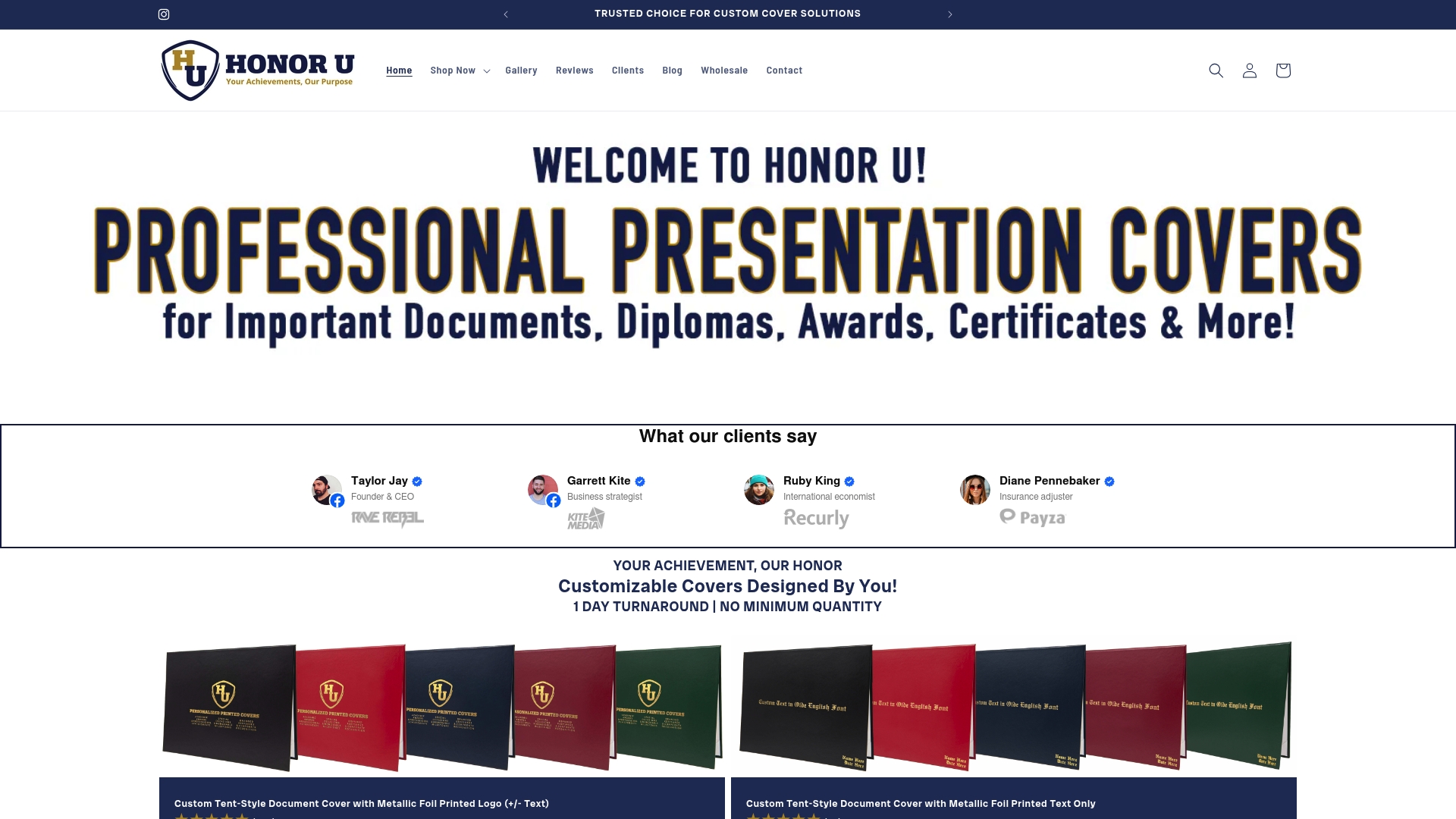
Need custom dimensions for international diplomas or specialty certifications? Our team handles non-standard sizing with the same one-day turnaround. Contact us at 804-223-4339 or contact@wehonoru.com to discuss your specific requirements, upload your logo, and place orders that ship tomorrow. Free shipping on orders over $30 makes even small purchases economical. Don’t let tight deadlines or limited budgets compromise your presentation quality. Start designing your custom folders today.
FAQ
What types of document presentation folders are best for graduation ceremonies?
Tent-style diploma covers and custom-sized folders are best for graduation documents. They provide professional presentation and fit standard and unique diploma sizes. Tent-style formats stand upright for display at home, while traditional tri-fold covers protect documents during the ceremony.
How quickly can I get customized document folders for last-minute events?
Next-day production and shipping is available with select vendors. This option mitigates last-minute order risks and reduces stress compared to standard 7-10 day lead times. Confirm production guarantees in writing and allow buffer time for shipping to your location.
Are bulk orders always more cost-effective for document folders?
Bulk orders often have hidden costs like storage, obsolescence, and working capital tied up in inventory. No-minimum ordering can be more economical for smaller or fluctuating needs. Calculate true per-unit cost including these factors rather than comparing only the unit price at purchase.
What customization options improve the professional look of folders?
Metallic foil printing, custom logos, and precise sizing enhance professionalism significantly. These options increase stakeholder recognition and folder durability. Foil finishes resist fading and scratching 20-30% better than standard ink printing, maintaining appearance through years of display and handling.
Recommended
- More Than Just a Folder: Level Up Your Presentation Game | Honor U
- Certificate cover vs folder: Choose the right option in 2026 | Honor U
- Types of certificate folders: 40% cost savings 2026 | Honor U
- Document Holder: Types, Uses, and How to Choose the Best One | Honor U
- Post-Graduate Diploma in HR Management - SeekStudy Business School |